
Digital real estate • 5 min read
Digital Snagging Reports: Documenting Your New Home’s Condition Clearly
Create a snagging record that explains what was observed, where it is and what happened next. Clear descriptions and follow-up evidence matter more than a long list of photographs.
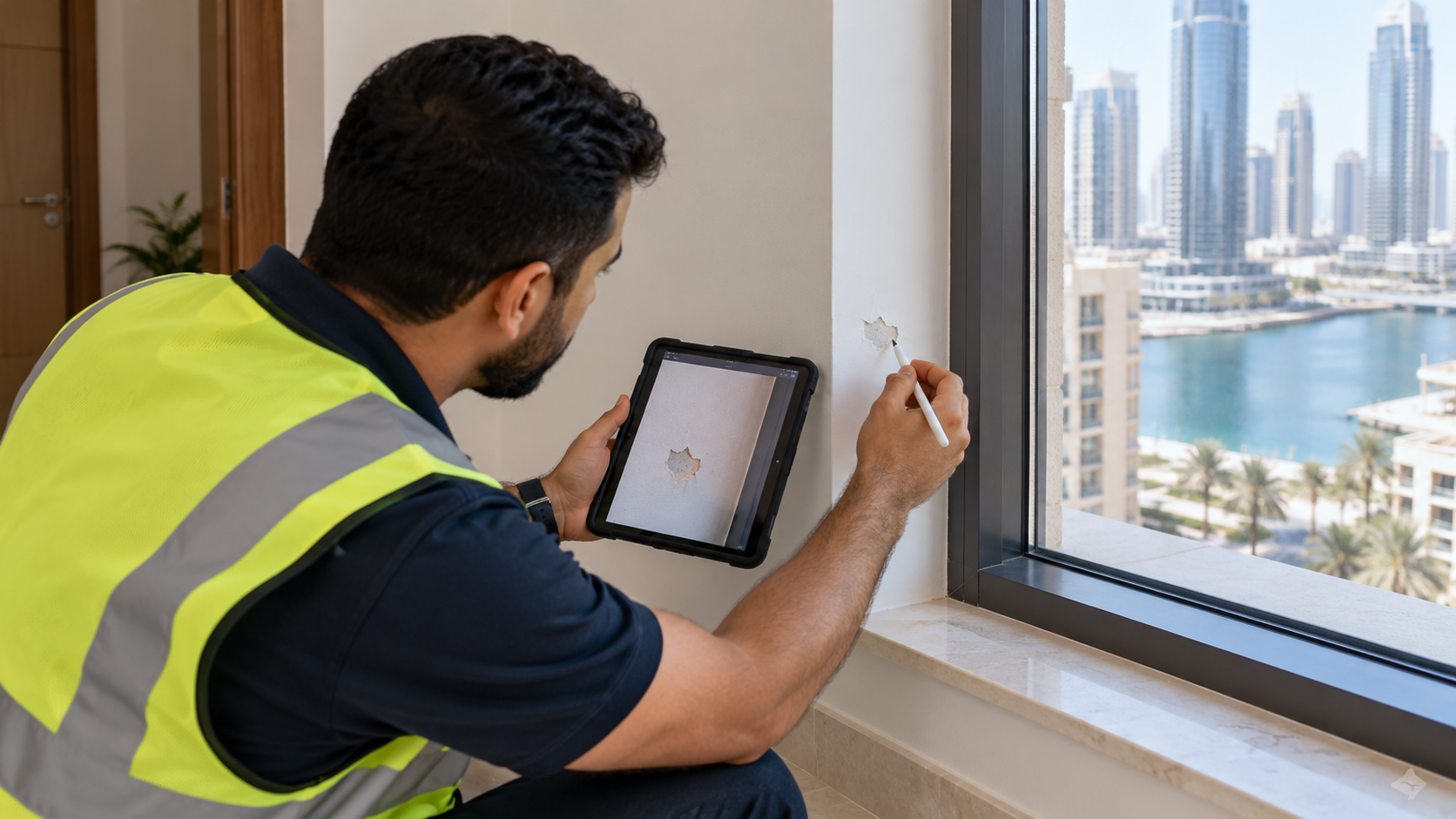
A photograph labelled bathroom issue may be clear to the person who took it and almost useless to the person arranging the repair. Which bathroom, which fitting and what exactly needs attention? A good digital snagging report answers those questions without requiring everyone to repeat the visit.
The report is a record, not a substitute for inspection expertise or the purchase agreement. Its value comes from precise observations, traceable communication and an honest distinction between work reported as complete and work actually checked. Choose the process first; an app is useful only if it supports that process.
01Agree the inspection scope before opening the app
Confirm what the visit covers, who may attend and which systems or areas will be accessible. Ask the developer or responsible party about its current process and arrange an appropriately qualified inspector where needed. A standard-looking checklist does not establish that every technical matter is included.
Aldar's handover guidance describes recording snags for review and addressing agreed items, with before-and-after evidence in its de-snagging report. This is a developer-specific process, not a promise that every observation at every UAE project will be accepted in the same way.
Read the relevant agreement and obtain professional advice about rights, obligations or disputed items. Do not assume that submitting a digital list changes a contractual deadline or gives automatic permission to withhold a payment. Keep the practical reporting exercise separate from decisions requiring legal or technical judgement.
02Describe what you can actually observe
Use plain, specific language. A sample observation might read: bedroom two, window-side wardrobe, right door does not close flush when operated normally. That is more useful than poor-quality joinery because it identifies the place and the behaviour without guessing at the cause.
Record the date and the conditions under which the observation was made. If an area was inaccessible or a system could not be checked, say so. Not inspected is different from inspected with no concern noted. Avoid filling blank fields with reassuring assumptions simply to make the report look complete.
Technical diagnosis belongs with the appropriate professional. Do not open restricted equipment, dismantle fittings or perform unsafe tests during a viewing. A clear observation can prompt investigation without pretending the person recording it has established a structural, electrical or other specialist conclusion.
03Make photographs easy to locate and understand
With permission, capture enough context to identify the area and enough detail to show the concern. Use a consistent room name and an individual reference for each observation. Keep personal information and unrelated occupants out of the images.
PlanRadar's defect-management documentation describes records combining photographs, a plan location, responsibility and status. Those are useful organisational concepts, but the platform does not decide contractual liability or whether a reported item is genuinely a defect.
Keep original images alongside any annotated copies. If you add an arrow or note, make clear that it is an annotation rather than altering the underlying evidence. A person who did not attend the visit should be able to locate the item from the record without searching through an entire camera roll.
Swipe or use arrow keys to view all columns.
| Field | Example entry | Purpose |
|---|---|---|
| Reference | B2-004 | A stable identifier |
| Location | Bedroom two, window-side wardrobe | Find the exact element |
| Observation | Right door does not close flush | Describe what was seen |
| Evidence | Context photo and close view | Connect detail with location |
| Follow-up | Awaiting review by responsible party | Avoid implying acceptance or completion |
04Track follow-up without losing the original record
Send the report through the agreed channel and retain the submission record. Ask for acknowledgement and clarification of the next step. Keep responses attached to the relevant item so an explanation about one room is not mistaken for a decision about another.
When an item is disputed, preserve the original observation and the response. Add new evidence as a dated update rather than rewriting the history to make the file appear resolved. If professional assessment is required, record who will arrange it and what question it needs to answer.
Use consistent status labels that everyone understands. A contractor saying work is finished and an owner or inspector confirming the result are separate events. The digital property-folder guide helps keep reports, correspondence and later versions together without losing the issued originals.
05Use counts to organise work, not certify the home
A simple status chart can show where attention is needed, provided the categories are defined. Imagine a fictional report containing fifteen individual observations: eight remain open, four have been reported fixed but await checking, and three have been verified and closed under the agreed process.
Those categories are mutually exclusive in this example and add to fifteen. The chart is not evidence about a real property, a defect rate or the quality of any developer. It also does not make the three closed items more important than a single serious unresolved concern.
Review priority and substance alongside counts. A long list of minor presentation issues and a short list containing a major technical concern cannot be compared meaningfully by total alone. Ask the appropriate professional to assess significance, and keep formal acceptance separate from the convenience of a dashboard.
Example follow-up status for fifteen observations
| Item | Value |
|---|---|
| Open | 8 |
| Reported fixed, awaiting check | 4 |
| Verified and closed | 3 |
Unit: individual observations
06Close the loop with evidence and the agreed process
Arrange follow-up checks appropriate to the issue and the permitted access. Compare the result with the original observation and retain the relevant evidence. Where you cannot verify the outcome yourself, obtain the appropriate professional confirmation rather than changing the status because a deadline has arrived.
Keep a copy of the final report, unresolved items and relevant correspondence after handover. Confirm how later concerns should be raised under the applicable agreement and developer process. Do not assume every product, finish or system has the same support terms.
For buyers coordinating from abroad, the remote-search guide helps assign local responsibilities. The report should make that coordination clearer. Its success is not a colourful dashboard or a large number of closed tickets; it is a reliable account of what was observed, what was agreed and what evidence supports the next decision.
Sources
Research reviewed 30 October 2026. Publication dates and measurement periods are provided with each source.
- Aldar: handover, snag review and de-snagging evidenceDeveloper-specific process checked 30 October 2026
- PlanRadar: defect-management records and workflow scopePlatform documentation checked 30 October 2026; software does not determine contractual responsibility
Property costs, ownership and contract terms vary by home. Speak with Aliyas about the details relevant to your search.